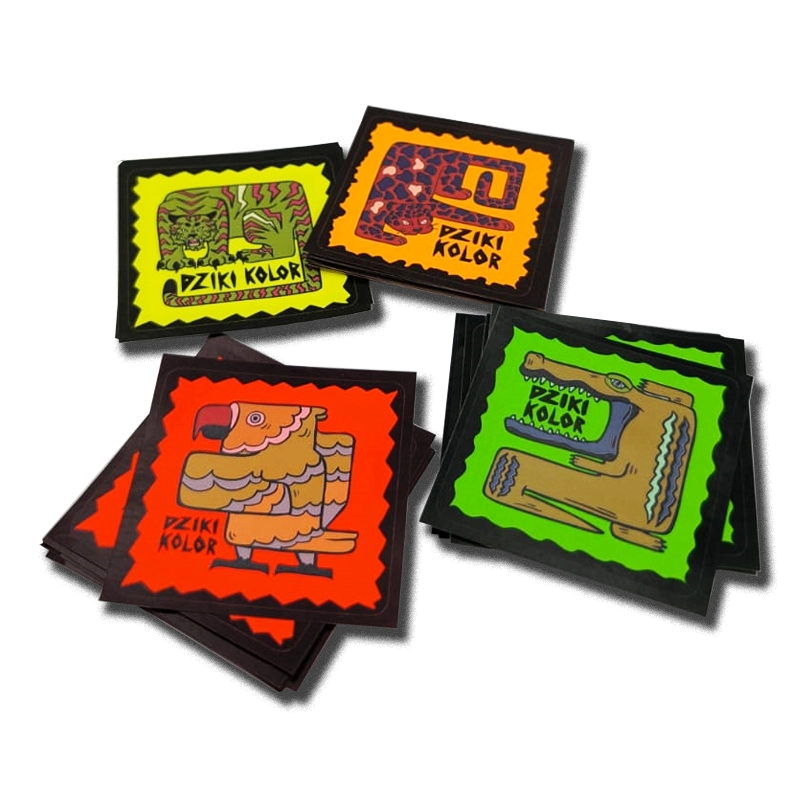
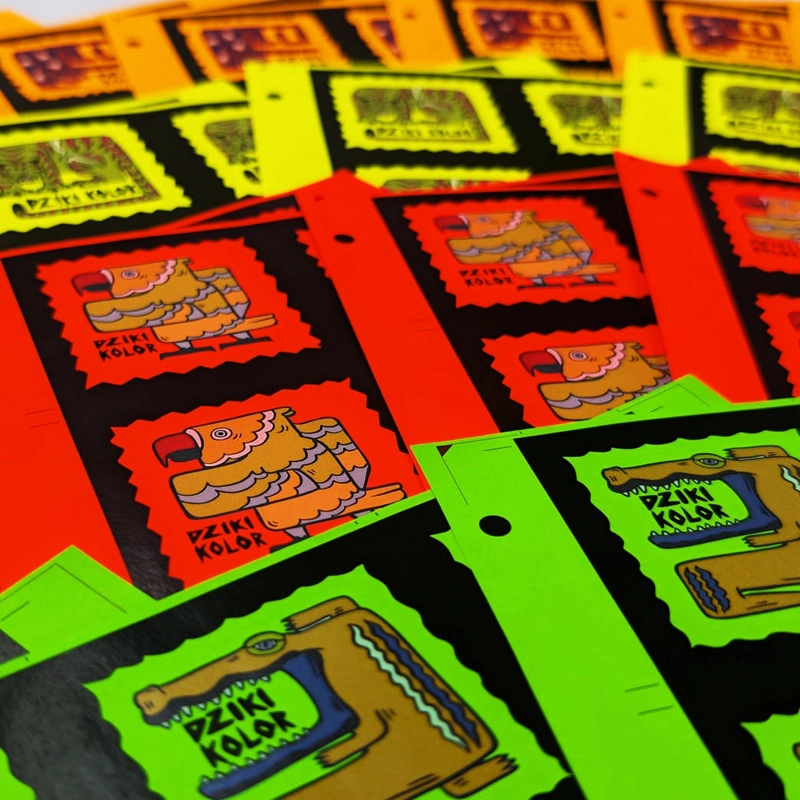
Self-adhesive labels on neon paper are a unique solution for everyone who wants to effectively catch the eye and make their products stand out. Intense colors – yellow, green, orange, and red – make the labels ideal where visibility, quick identification, or an original form of communication is important.
Printing on neon papers works excellently in promotional, marketing, and organizational activities. These labels are eagerly chosen for marking discounts, promotions, warnings, category names, numbering, as well as for creative solutions for packaging, advertising materials, and space organization systems, e.g., office. As single-use items, they are perfect for educational, social, and marketing activities – e.g., as "Brave patient" stickers, campaign markings, labels for trade, event, or school kits - gadget.
Substrate: wood-free self-adhesive paper
Available paper colors: yellow, orange, red, green (intense colors)
Paper weight: 78 g/m²
Paper thickness: 0.073 mm
Silicone backing: paper 51 g/m², thickness 0.054 mm
Permanent transparent acrylic adhesive with a minimum adhesion of 9 N/25 mm
Digital printing CMYK.
White color as an additional color appearing independently, alongside CMYK printing or as an underprint.
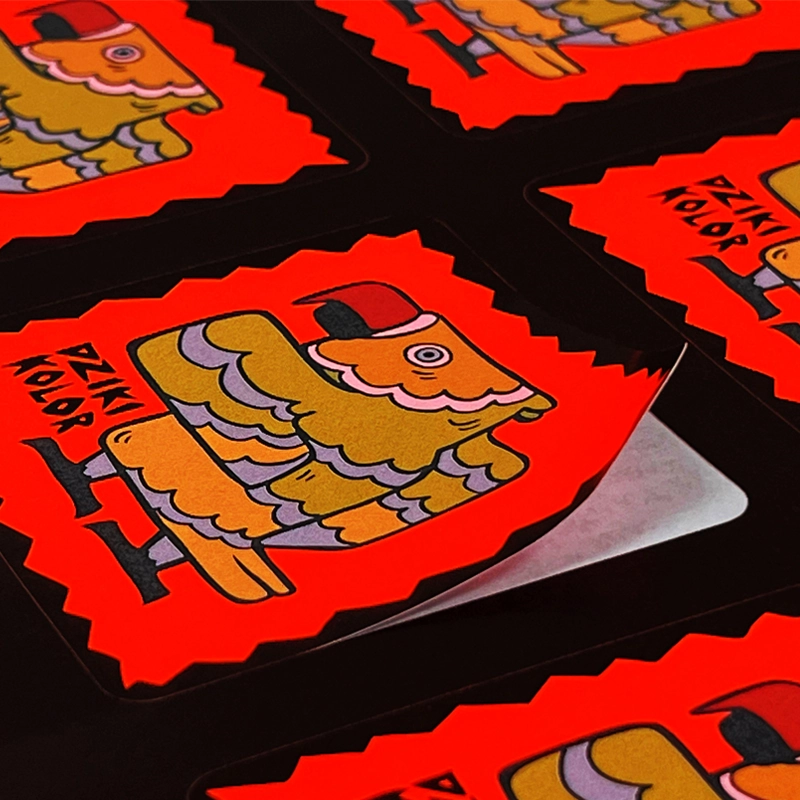
Due to the intense colors of the substrate, CMYK printing may produce unusual and unpredictable color effects. Colored paper affects the final appearance of the print – colors may change optically, especially in the case of light and pastel tones.
This is not a product defect, but a characteristic feature of printing on a colored background, which can be creatively utilized. White color will act as an optical brightener of the background, while dark, saturated colors, especially black (100% K), remain intense and well visible.
Neon labels are available in two variants
Labels of any shapes - plotter cut and delivered in sheets.
Labels cut into individual, rectangular pieces.
Labels of any shapes are plotter cut in the selected format (dimensions entered in the calculator). If you choose the option of cutting into individual pieces, you will receive rectangular elements cut on a guillotine – they will be slightly larger than the label itself (cut inside). This way, the labels are ready for direct distribution, packaging, or inclusion as a gadget or promotional addition.
Prepare the project in the size of the ordered use +2mm bleed on each side and separately the cutting line on a separate page.
In the case of labels cut into single uses, the file should have 4 mm bleeds on each side.
It should be remembered during design that due to printing on intensely colored substrates, the final effect will differ from the same project made on white paper. The background color affects the perception of print colors – colors gain new shades, and light elements may change their saturation and contrast. Dark, saturated colors maintain greater contrast. It is not possible to achieve neutral white, but its absence in the project can act as a natural "brightening" of the background.
The best black effect is achieved by using 100% K.
The cutting line should meet the following requirements
Note! When ordering with the option of cutting into uses, the Client prepares only the cutting line (in the size of the ordered label). Do not add cutting lines for single uses.
Colors on substrates other than white may differ from those printed on a white background.
Colors with high saturation present better – at least one CMYK component should be 100%.
White elements of the project will take on the color of the substrate - the exception is the choice of CMYK technology with white underprint or printing only in white.
Choosing to print with an additional white color will not achieve a pure, neutral white – the final effect will always be somewhat dependent on the color of the substrate.
It is not recommended to print photos on materials other than white – the final effect may differ from expectations.
If the shape of the label is too complicated, the final product may slightly differ from the project (slight rounding of sharp corners).
All rules for proper file preparation can be found in the Help section.
Druk cyfrowy to nowoczesna technologia, która umożliwia szybkie i efektywne tworzenie materiałów drukowanych. Dzięki zastosowaniu zaawansowanych maszyn, takich jak drukarki cyfrowe, możliwe jest uzyskanie wysokiej jakości wydruków w krótkim czasie.
W porównaniu do tradycyjnych metod, druk cyfrowy oferuje większą elastyczność i możliwość dostosowania projektów do indywidualnych potrzeb klientów. 
Druk cyfrowy znajduje zastosowanie w wielu branżach, od reklamy po produkcję opakowań. Dzięki możliwości druku na żądanie, firmy mogą szybko reagować na zmieniające się potrzeby rynku.
Podsumowując, druk cyfrowy to przyszłość branży poligraficznej, oferując nie tylko wysoką jakość, ale także szybkość i elastyczność produkcji.